Wireflow Flowcharts: Streamlining UI/UX Design Workflows
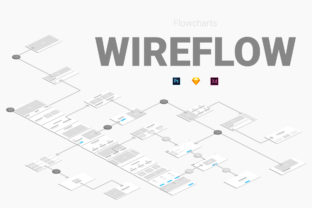
For UI and UX designers, creating clear and effective flowcharts is essential for communicating ideas to clients, stakeholders, and team members. Wireflow Flowcharts offer a powerful solution by providing 400 ready-to-use elements designed specifically for web and mobile flowcharts. These tools are built with the busy designer in mind, making it easy to create detailed diagrams that can be shared in digital or print formats.
Why Wireflow Flowcharts Matter in Modern Design
Designers often face tight deadlines and complex projects, which means efficiency is key. Wireflow Flowcharts help reduce the time spent on repetitive tasks by offering a comprehensive library of pre-designed elements. This allows designers to focus more on the creative aspects of their work rather than spending hours on layout and formatting.
Whether you're designing a simple app interface or a complex website navigation system, Wireflow Flowcharts provide the flexibility needed to build diagrams of any complexity. The ability to connect different elements ensures that your flowcharts accurately represent how users will interact with the final product.
Key Features of Wireflow Flowcharts
One of the standout features of Wireflow Flowcharts is its compatibility with popular design tools like Adobe Photoshop CS6 and Sketch 3.8 Xd. This integration makes it easier for designers to incorporate flowcharts directly into their existing workflows without having to switch between multiple platforms.
The collection includes a wide range of icons, shapes, and connectors that can be used to illustrate different stages of a user journey. From start and end points to decision nodes and process steps, each element is designed to be intuitive and visually consistent. This consistency helps ensure that flowcharts are not only functional but also aesthetically pleasing.
Another valuable feature is the availability of print templates. These templates allow designers to produce high-quality printed materials that can be used in meetings, presentations, or client reviews. Whether you need a single page or a multi-page document, the print templates make it easy to format your flowcharts for physical distribution.
Enhancing Team Collaboration with Wireflow Flowcharts
Flowcharts are not just for individual use; they play a crucial role in team collaboration. Wireflow Flowcharts enable designers to create visual representations of processes that can be easily understood by developers, project managers, and other stakeholders. This clarity helps prevent misunderstandings and ensures that everyone is aligned on the project's goals and structure.
By using Wireflow Flowcharts, teams can quickly iterate on design concepts and make adjustments based on feedback. The ability to add or remove elements from a flowchart without starting from scratch saves time and keeps the design process moving forward smoothly.
Additionally, these flowcharts can be used to explain complex systems to non-designers. For example, a product manager might use a flowchart to demonstrate how a new feature will integrate with an existing platform. The visual nature of flowcharts makes it easier to convey information that might otherwise be difficult to communicate through text alone.
Practical Applications of Wireflow Flowcharts
Wireflow Flowcharts are particularly useful in industries where user experience is a top priority. In the tech sector, for instance, they can be used to map out user onboarding flows, checkout processes, or customer support interactions. By visualizing these journeys, designers can identify potential pain points and optimize the overall user experience.
In the healthcare industry, flowcharts can help streamline patient registration processes or medical workflow procedures. They provide a clear overview of how different departments or systems interact, which is essential for ensuring efficient operations.
E-commerce businesses also benefit from using Wireflow Flowcharts to design and refine their website navigation structures. A well-organized flowchart can help users find products more easily, leading to higher conversion rates and improved customer satisfaction.
Choosing the Right Flowchart Tools for Your Workflow
When selecting flowchart tools, it's important to consider how well they fit into your current design process. Wireflow Flowcharts stand out because they are designed to work seamlessly with popular design software, eliminating the need for additional plugins or complicated setups.
Another factor to consider is the level of customization available. While some tools may offer limited options, Wireflow Flowcharts provide a balance between flexibility and ease of use. You can modify elements to match your brand’s style while still maintaining the integrity of the flowchart’s structure.
For designers who work across multiple platforms, the cross-platform compatibility of Wireflow Flowcharts is a major advantage. Whether you're working in Photoshop, Sketch, or another design tool, you can rely on the same set of elements to create consistent and professional-looking flowcharts.
Maximizing the Benefits of Wireflow Flowcharts
To get the most out of Wireflow Flowcharts, it's helpful to start by outlining the main objectives of your project. Are you trying to visualize a user journey, explain a technical process, or collaborate with a team? Understanding your goals will help you choose the right elements and structure your flowchart effectively.
It's also a good idea to experiment with different layouts and styles to see what works best for your audience. Some teams may prefer a more minimalist approach, while others may benefit from detailed annotations and labels. Wireflow Flowcharts give you the freedom to tailor your designs to suit specific needs.
Finally, don’t hesitate to share your flowcharts with others for feedback. Getting input from colleagues or clients can lead to valuable insights and improvements. Wireflow Flowcharts make it easy to distribute and present your work, whether through digital files or printed materials.